
How it works
Fluwerio is a full-flow platform, because there is no effective MENU ENGINEERING without a Menu, and we can't do Engineering without Data collected via the ordering infrastructure.
So, the QR code Live Menu will be both the beginning and the end of the whole Menu Engineering work. You will continually adjust that Live Menu structure along the seasons, driven by the insights that are distilled from your day to day orders data. And the staff mobile app and kitchen app will serve as collection points for any data points that interest us: orders composition, customers preferences, ingredients prices, preparing time and so on ...
Right after the signup, the onboarding questionnaire will help setting up the structure that will serve as the ground for that system. When properly done, you will get your team and your space (the tables) created during the onboarding steps. The scaffold data, like menu categories and supplies categories are initiated during that phase too.
The full suite overview
I. The Menu
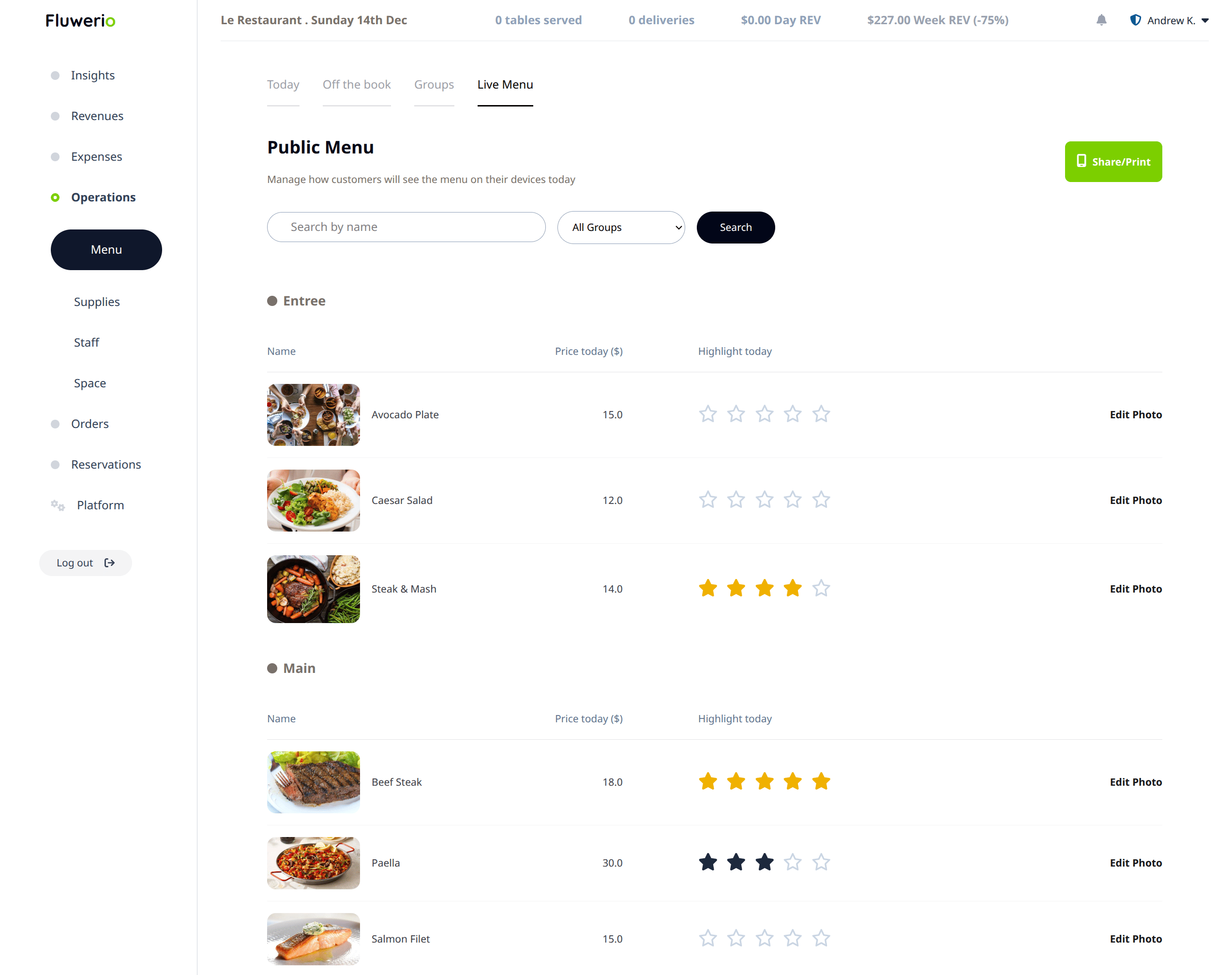
Fluwerio usage is centered around the TODAY'S MENU concept, so that's the very first thing you need to define.
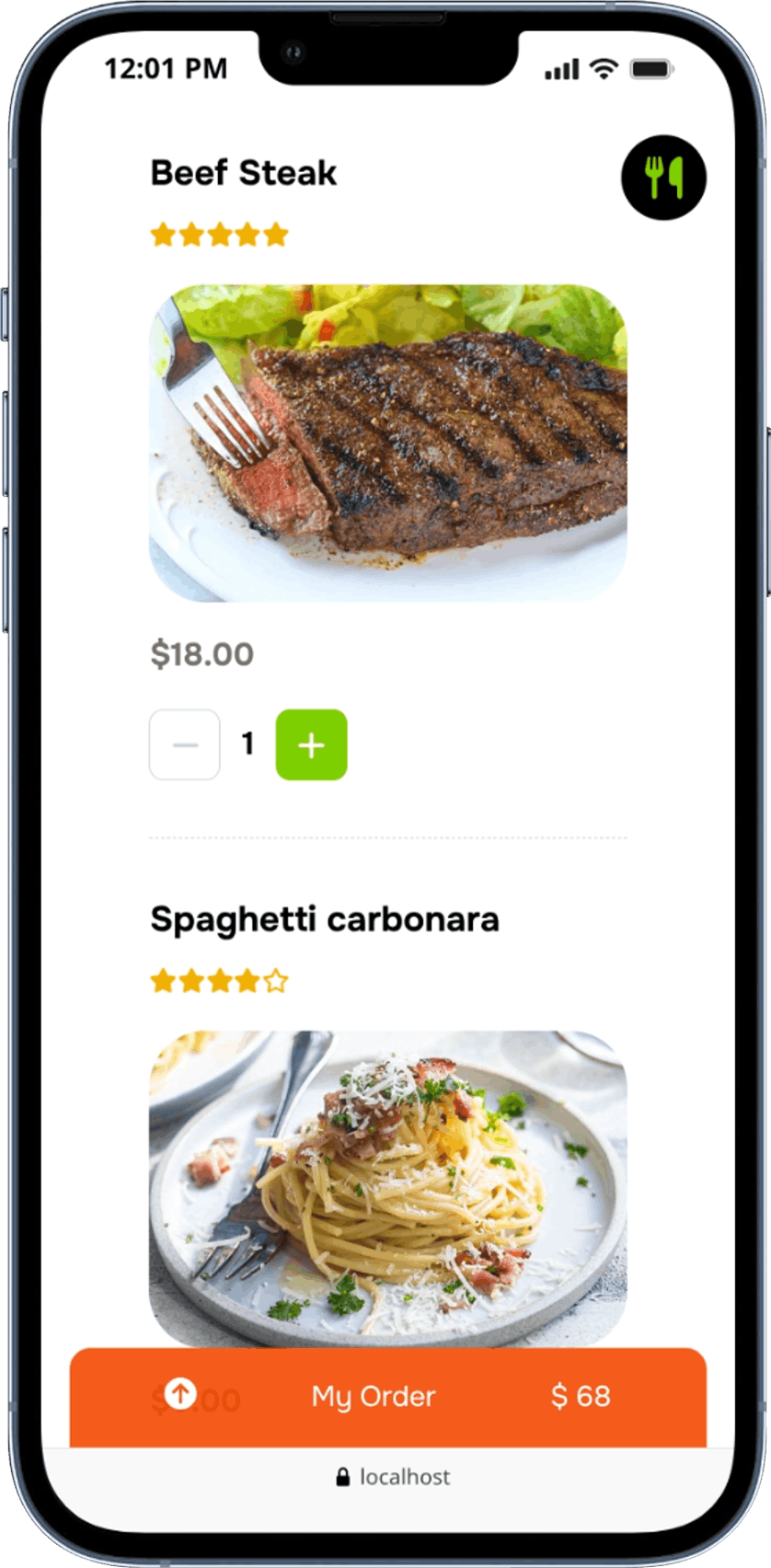
That menu will serve to generate the public version served in the QR code Live Menu
It is also the pivotal point around which the ordering infrastructure - via the staff mobile apps and kitchen app - and the inventory optimization revolve.
Make sure your menu is properly defined with the prices, the different sections and each item availability and status.
Once ready, you can print the QR code and your guests can enjoy the Live Menu, and you can start engineering it continually!
II. The Ordering Infrastructure
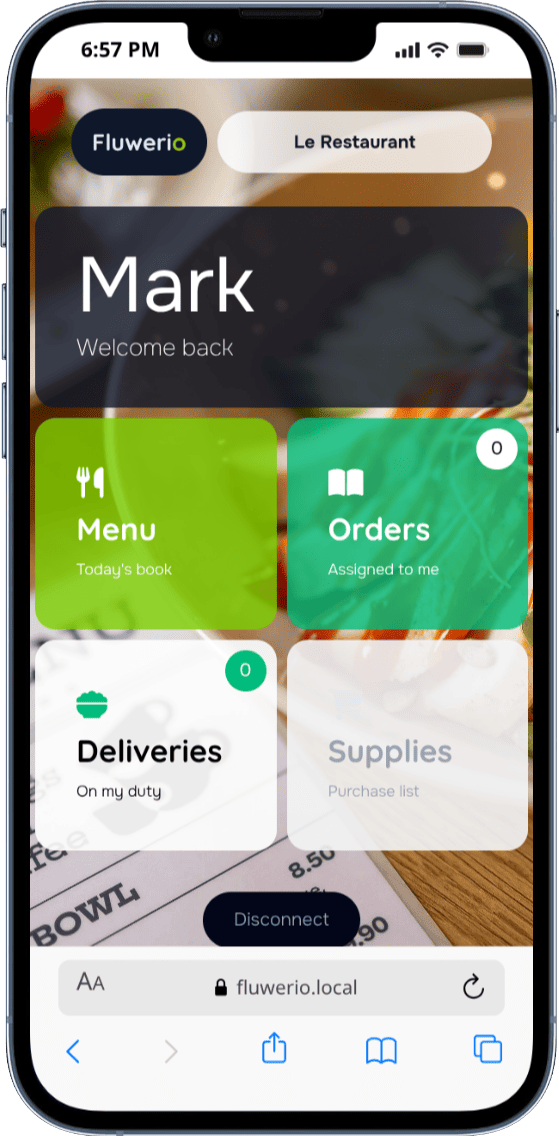
For each of the staff members that are defined in STAFF > MEMBERS, you can provide the access to the mobile app via an individual QR code to scan or a secure link.
The mobile app allows them to take orders from the tables, and process those orders until completed and paid.
If you are into outside delivery business, the same app will allow those doing the deliveries to process outside orders, from start to delivery and payment.
And for those in charge of the supplies and purchases, the mobile app also contains the purchase list of the day, to manage the buying process.
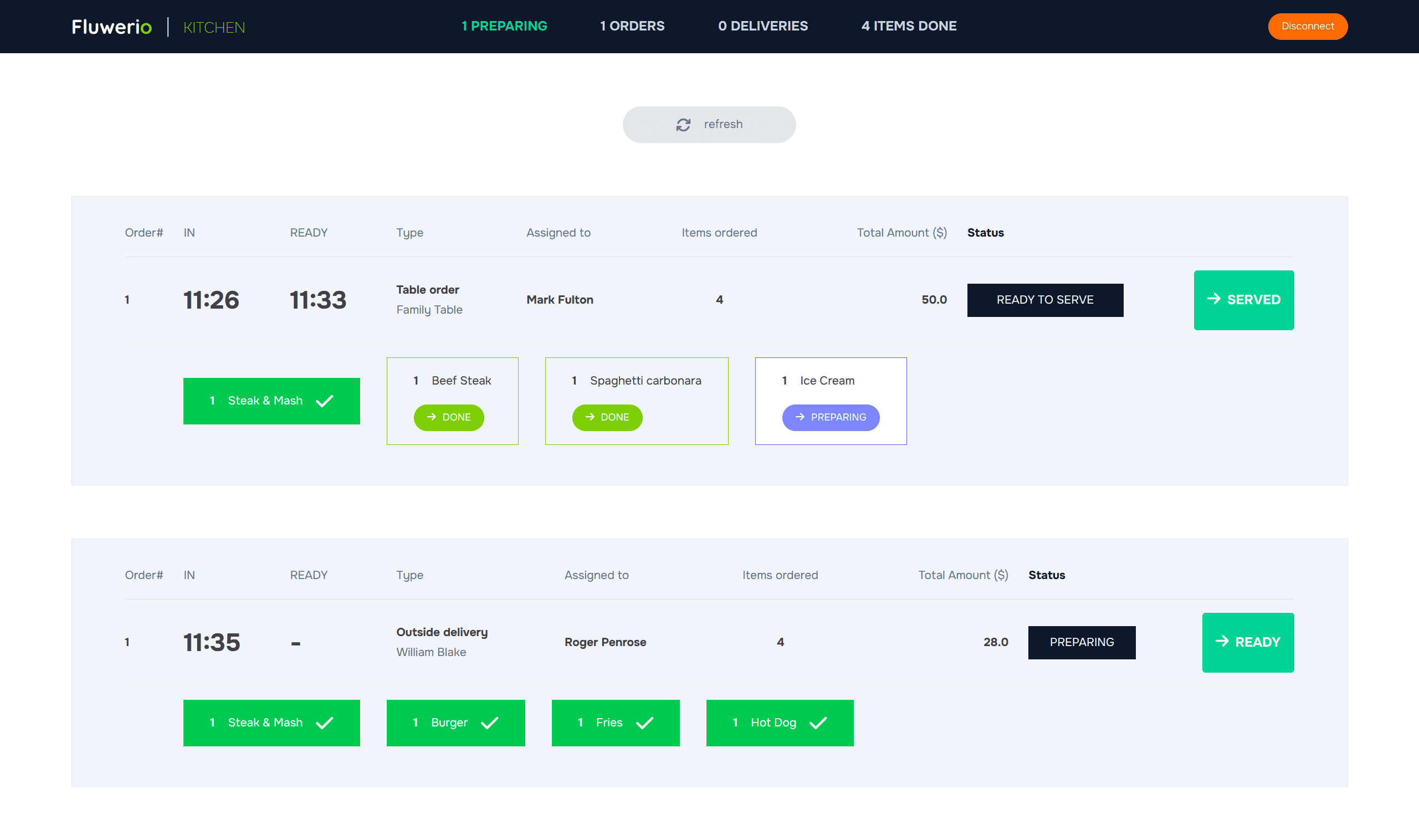
Just as for the waiting staff, the kitchen team gets also their dedicated app, on which your chefs can match the preparation process.
The kitchen app is directly linked to the staff apps, so the updates on both directions are instant, to maximize guests statisfaction.
The kicthen app access - via QR code scan or secure link - can be granted to individual staff members defined in STAFF > MEMBERS too.
III. The Platform
This is where the real deal is made: MENU ENGINEERING ...
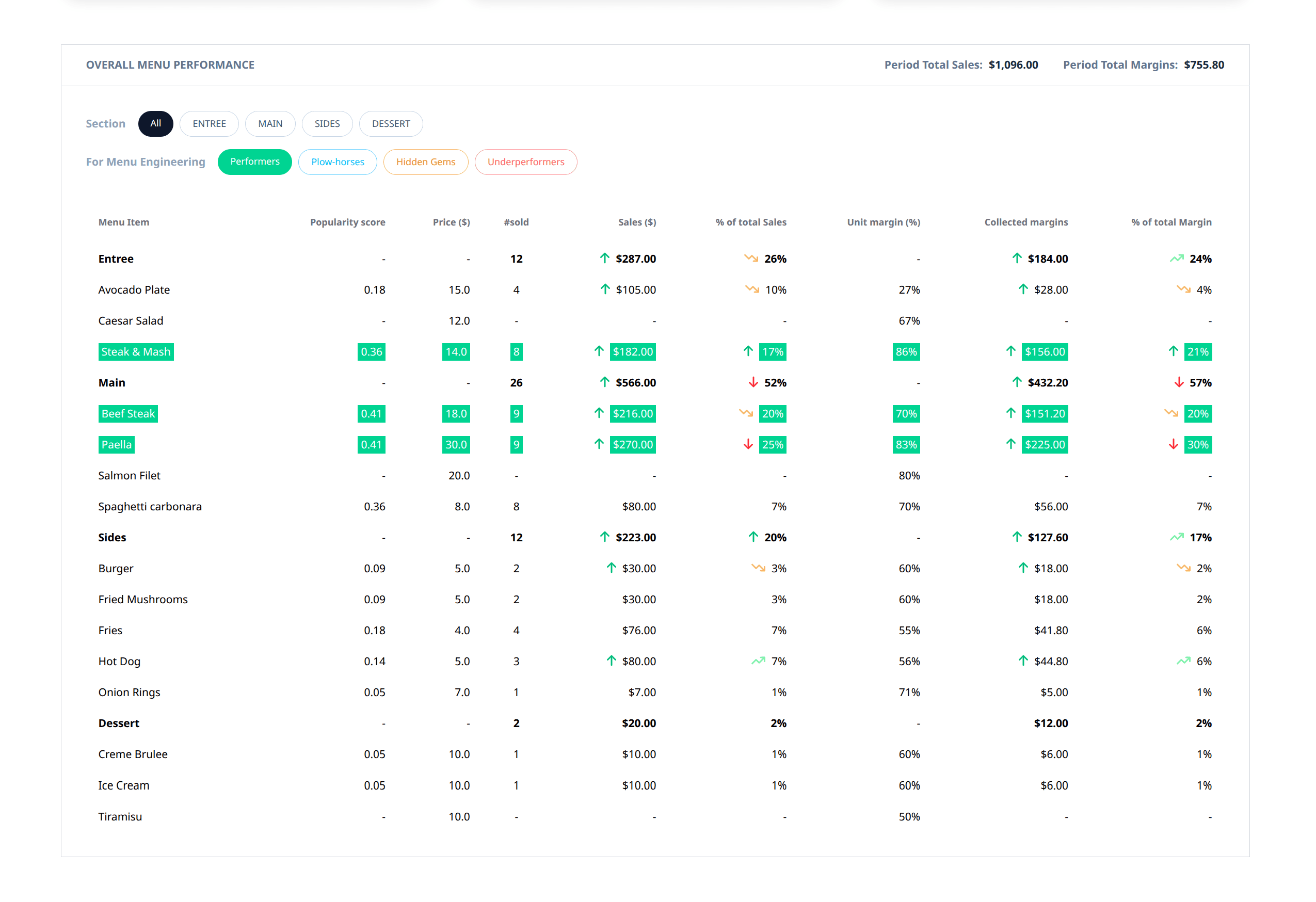
Once the orders start to be created within the system, you can do your menu engineering work by leveraging the insights provided in the top INSIGHTS section of the platform.
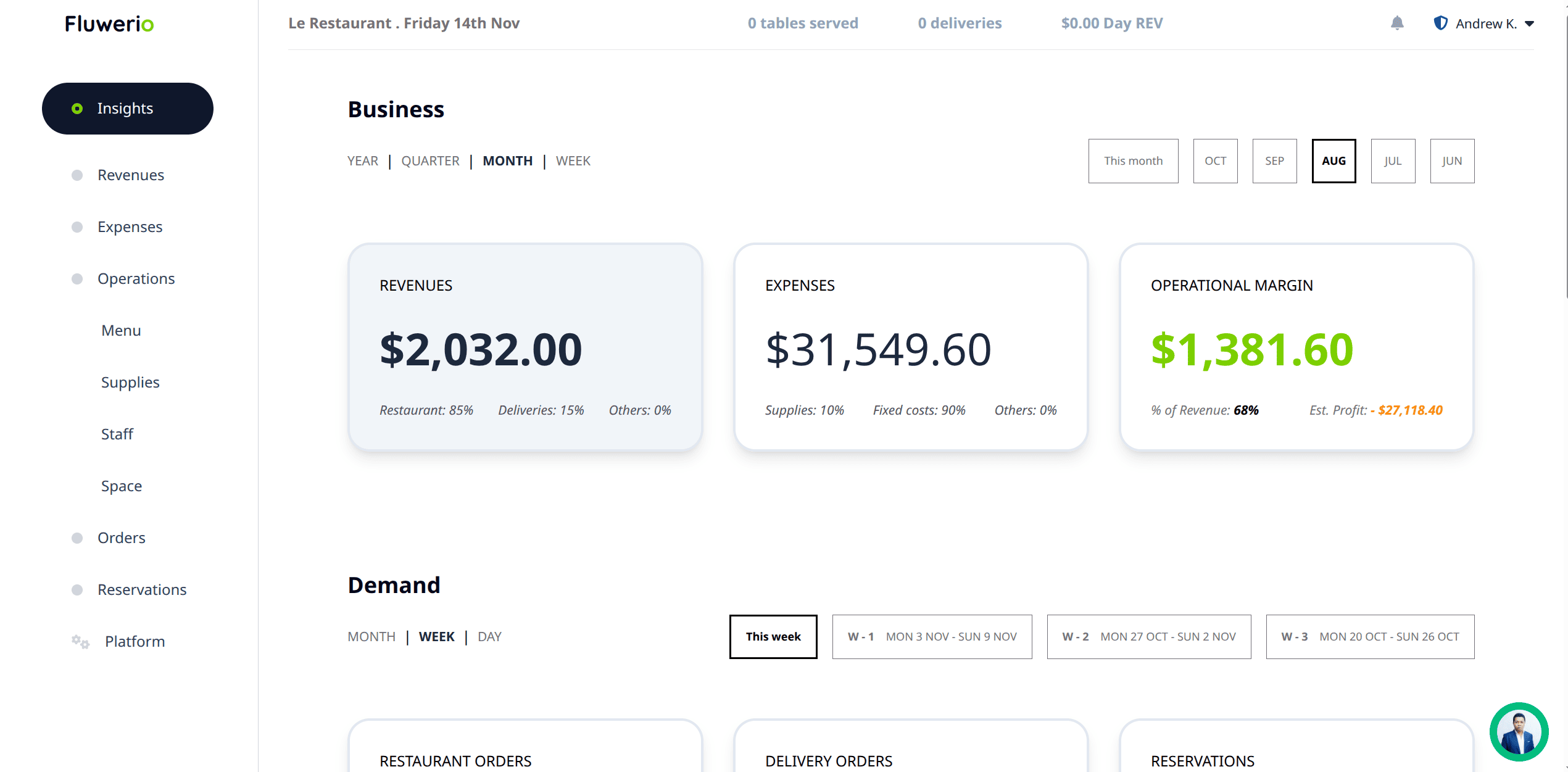
There are top level insights available in there, such as sales and revenues-expenses.
More important for you, there are detailed menu performance and demand/margin insights distilled out of your operational data, scoped with precision: month by month, week by week, day by day, activity by activity (indoor or delivery), category by category, item by item
You can pinpoint which items and sections performed great during a given period, where the trends go, which item(s) contributed the most to the collected margins and by how many percentage and absolute amounts. Then you can determine which item to highlight, which to discount, which to promote with a flash sale, which to retire off the menu until next season ... operational clarity is on your side from now on!
... and INVENTORY TRACKING
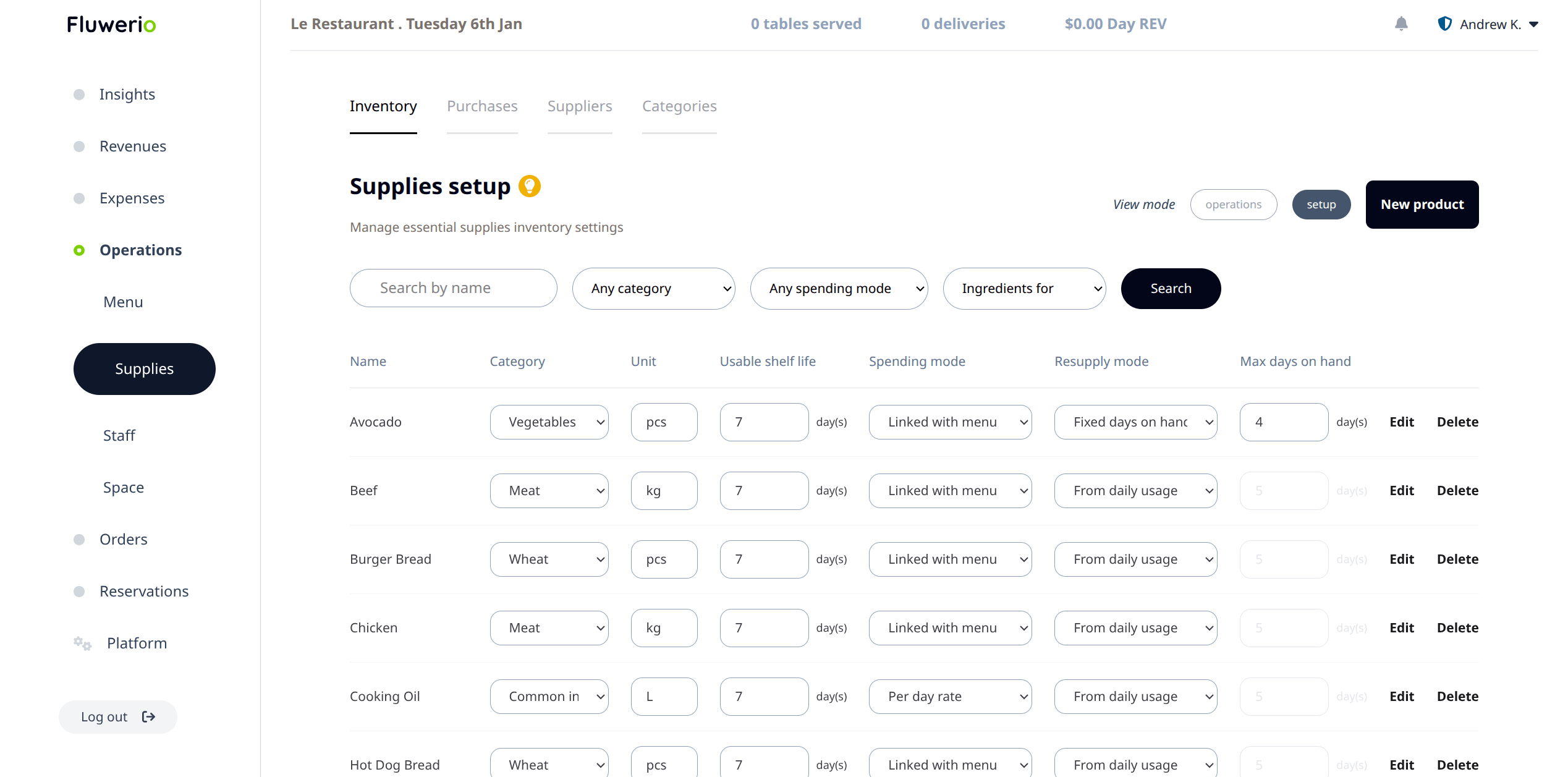
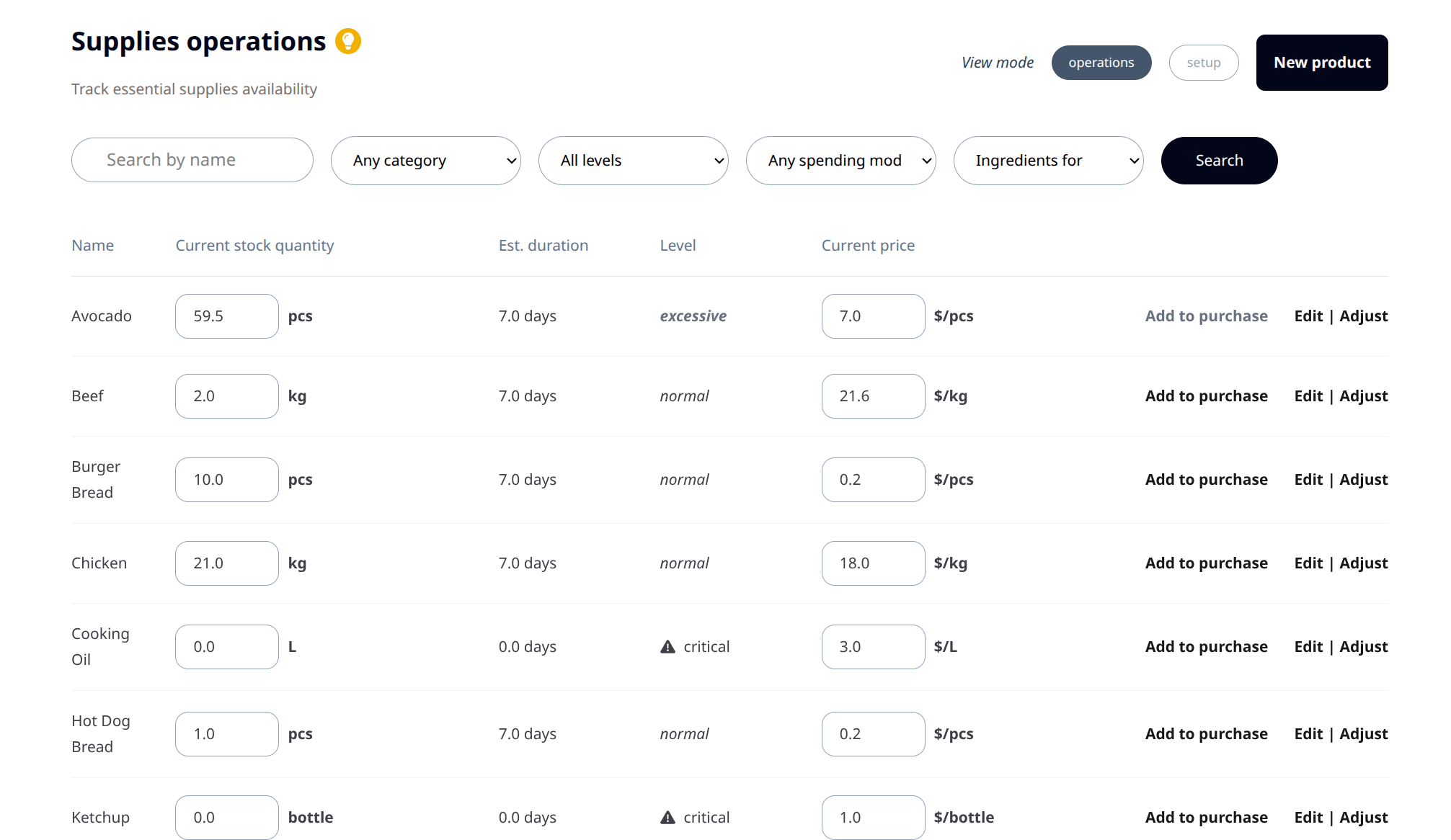
You need first to wire up the things before the magic of automated inventory flow starts kicking off. All the work will happen within the SUPPLIES section of the platform.
You need first to enter all the menu ingredients that you want to track within the system, along with their information (units, initial in-stock quantities)
Then for each menu item defined previously, you and your chefs need to fill the ingredients mappings to link them with the right supplies quantities.
After all is properly setup, then it starts to work for you, orders will automatically subtract the right quantities out of your stock, levels are updated, and corresponding menu items real-time availability as well - and you can execute the purchases to make, regularly and optimaly.
Time to practice!
For quick day to day references, each section in the platform has a help content where you can read essential informations about the why and how to use things. We are keeping them up to date with the latest features.
The support is also reachable via the chat widget anytime to help you to fully use the platform.